> ## Documentation Index
> Fetch the complete documentation index at: https://docs.eigenexplorer.com/llms.txt
> Use this file to discover all available pages before exploring further.
# API Key
> Accessing the EigenExplorer API
EigenExplorer APIs require a valid API key to authenticate requests. Every request (other than system health routes) must include this key to successfully access the API.
## Creating an API Key
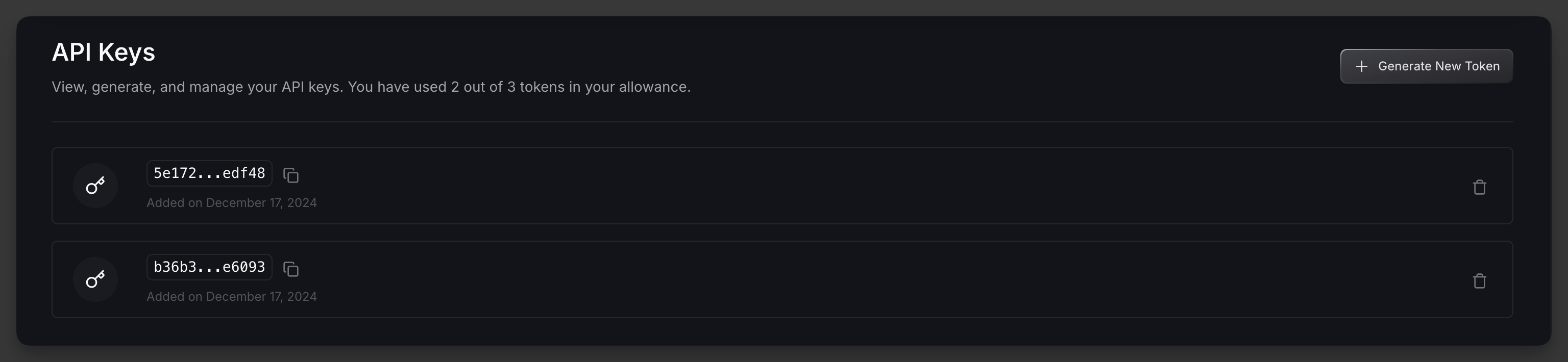 1. Sign in to the [EigenExplorer Developer Dashboard](https://developer.eigenexplorer.com).
2. Generate a new API key in the API Keys section and you are good to go!
**API Key Management**: You can create up to 3 active keys at once. If you need to rotate or deactivate a key, simply delete the old key and generate a new one.
## Using Your API Key
Include your API key in every request to the EigenExplorer API by adding an `x-api-token` header:
```
x-api-token:
```
For additional examples, please see our [Getting Started guide](get-started).
1. Sign in to the [EigenExplorer Developer Dashboard](https://developer.eigenexplorer.com).
2. Generate a new API key in the API Keys section and you are good to go!
**API Key Management**: You can create up to 3 active keys at once. If you need to rotate or deactivate a key, simply delete the old key and generate a new one.
## Using Your API Key
Include your API key in every request to the EigenExplorer API by adding an `x-api-token` header:
```
x-api-token:
```
For additional examples, please see our [Getting Started guide](get-started).